

Citations: Domains Mentioning Me
What this page shows
Every time a LLM platform (ChatGPT w/ browsing, Google AI Overviews, Google AI Mode, Bing Copilot, Perplexity, etc.) mentions your brand name, it attaches a redirection pointing to the web pages it used. This report surfaces those parent domains so you can see:- Who influences AI answers about you – which blogs, news sites, docs, or forums shape what large‑language models (LLMs) say.
- How that pool is changing – new domains joining, old ones dropping off, and overall growth or churn.
- Where to act – domains that deserve content updates, partnership/content outreach, or PR because they already rank as trusted sources.
Inclusion rule A domain appears only when (1) a page on that domain contains your brand name and (2) that page is explicitly cited in at least one tracked AI answer inside your selected date range.
Metrics bar (top of page)

All referring domains
The All referring domains panel (left column of the page) is the master list of every external domain that meets the inclusion rule for your selected date range.
Next steps:
No. of answers

- Click a page row to inspect the actual AI answers citing it (full answer log opens in the main panel).
- Use View full report for a wider workspace with additional columns (first cited, last cited, co‑sources).
- Download to export the per‑page data and prioritize updates with your marketiing team.
Pages
Click the value in the Pages column (total number of individual pages from that domain mentioning your brand).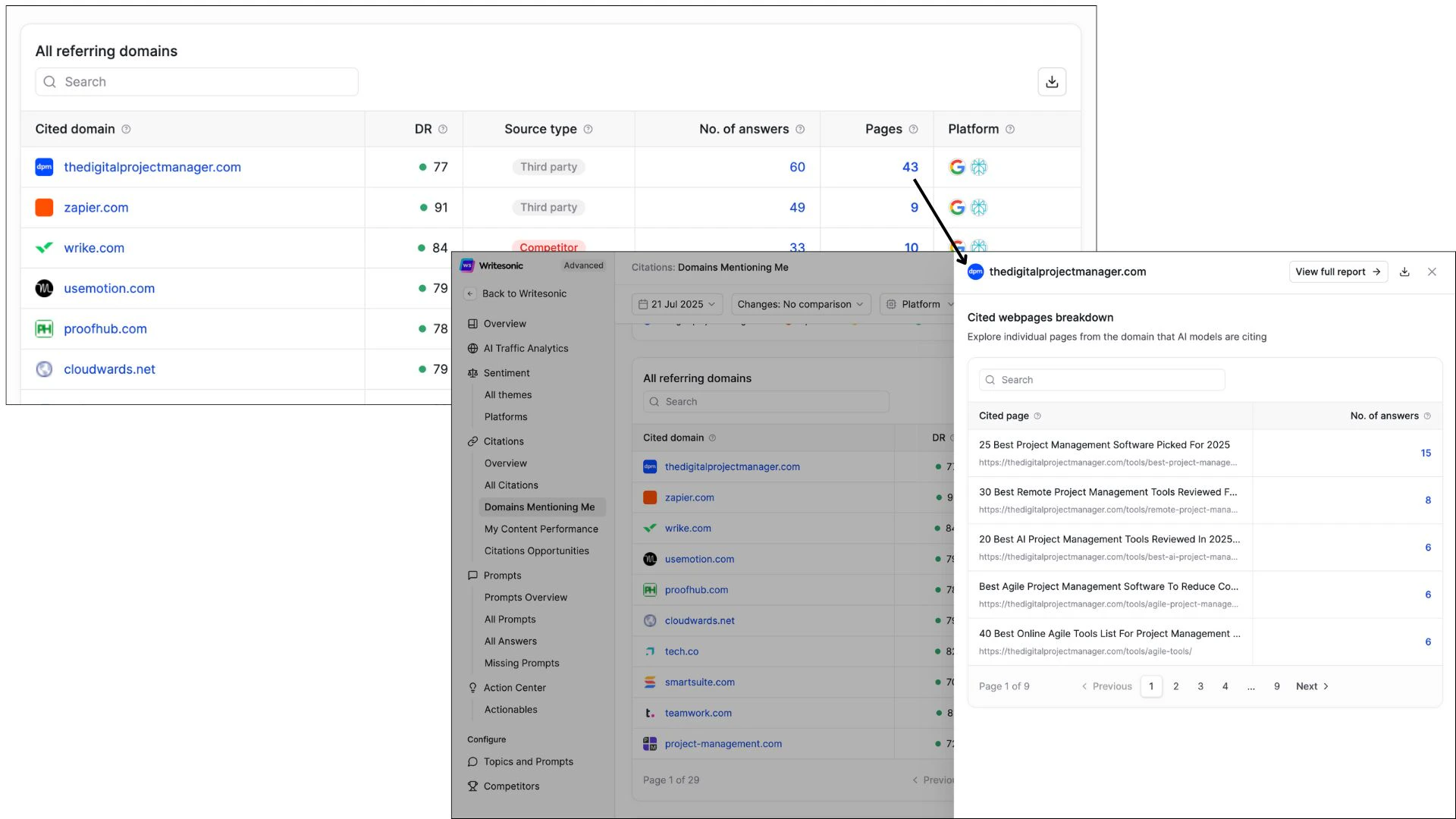
- Click a page row to inspect the actual AI answers citing it (full answer log opens in the main panel).
- Use View full report for a wider workspace with additional columns (first cited, last cited, co‑sources).
- Download to export the per‑page data and prioritize updates with your content team.
Tips
- Sort by Sure to reveal one‑stop authoritative domains.
- Sort by Last Seen to confirm the freshest sources still active in AI answers.
- Filter by AI platform to see which assistants prefer which domains.
All referring webpages
Clicking any domain (or choosing the All referring webpages tab) drills down one level deeper to show individual URLs that AI cited.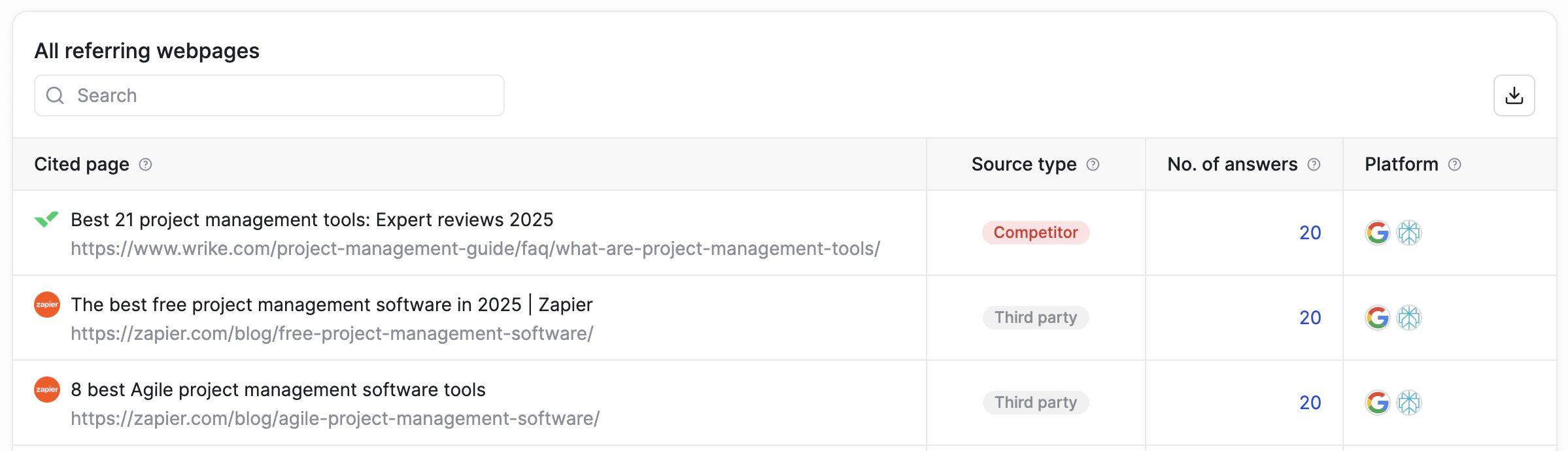
Next steps:
No. of answers
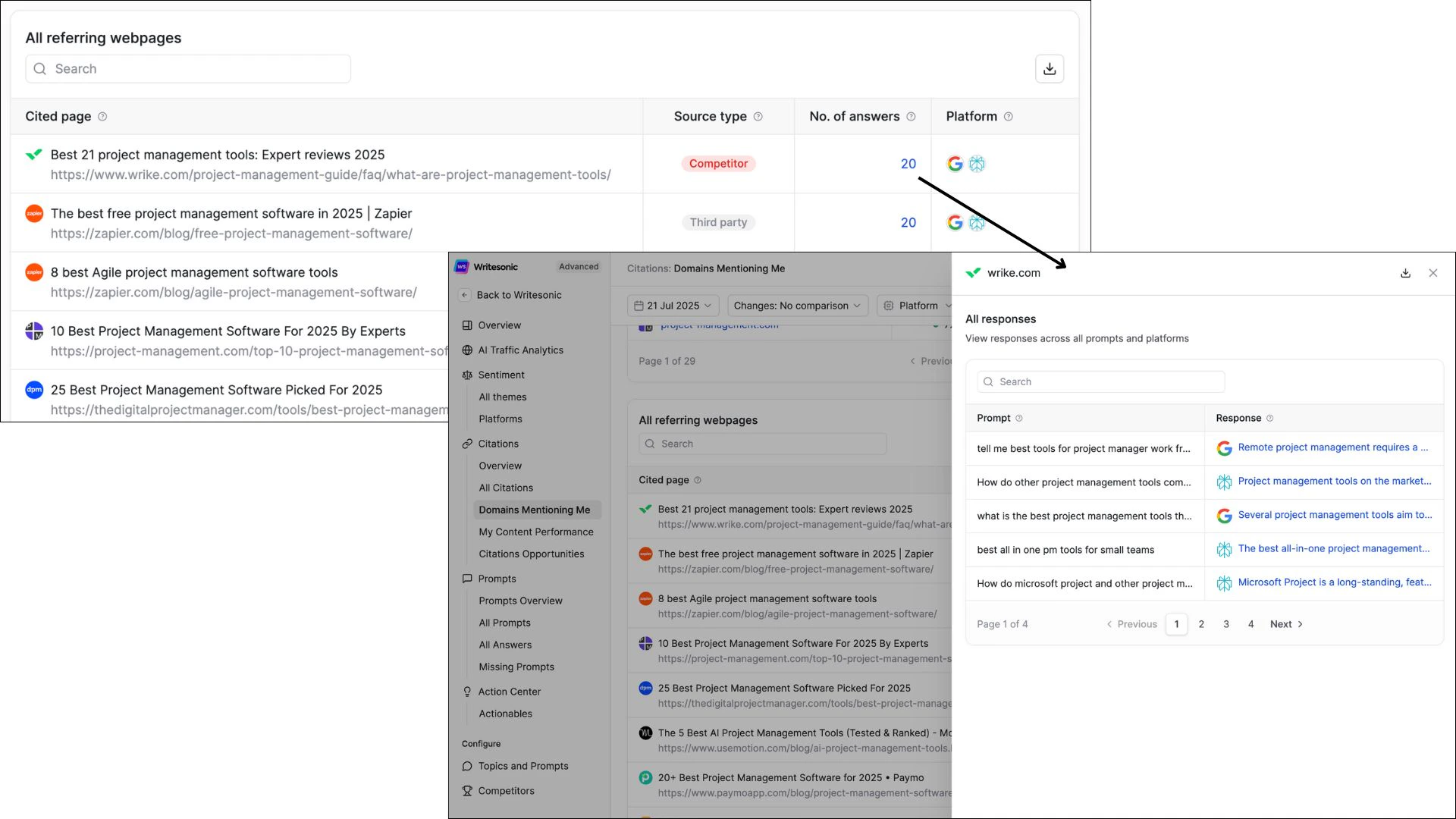
- Click a page row to inspect the actual AI answers citing it (full answer log opens in the main panel).
- Use View full report for a wider workspace with additional columns (first cited, last cited, co‑sources).
- Download to export the per‑page data and prioritize updates with your content team.
- Identify high‑Sure pages – they single‑handedly inform AI answers. Keep them up‑to‑date or negotiate edits if third‑party.
FAQ (quick reference)
Does every backlink show up here? No. Only pages that AI assistants actually cite make the list. Plain backlinks without AI citations live in the Backlinks report. How fast does the list update? We refresh citation logs daily. New mentions can appear within 24 h of an AI answer surfacing publicly. Why is my own domain missing? If your site isn’t cited, check that pages use clear, factual language and structured data (FAQ, HowTo, schema.org) so AIs can trust and attribute them.Use this report weekly to make sure trusted, accurate voices represent your brand – and to proactively grow new ones.
All Citations Citations: Your Content Performance